What Qwen Image 3.0 is good at.
Qwen Image 3.0 is an image generation model from Alibaba. The maker highlights complex layouts, multilingual text and fine visual details such as hair and skin. Runware describes this standard model as the balanced option in the 3.0 family. Geneso provides access through Runware.
A poster, a photographed menu or a product scene is a useful way to explore its composition. Give the model a subject, a setting and the visual treatment. If lettering matters, quote the words and say where they should appear.
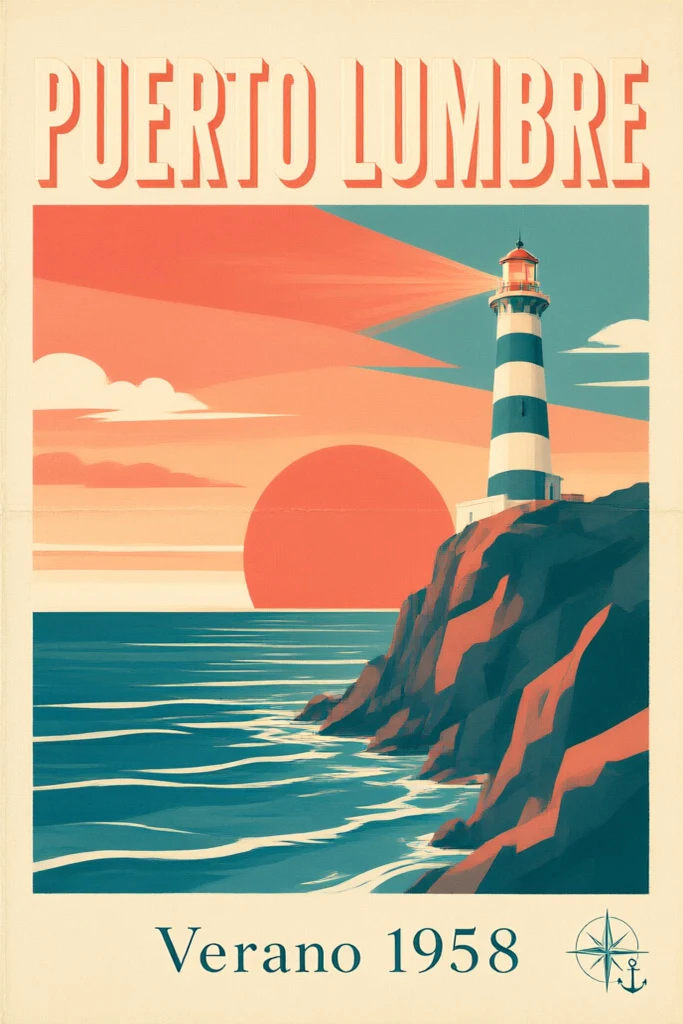
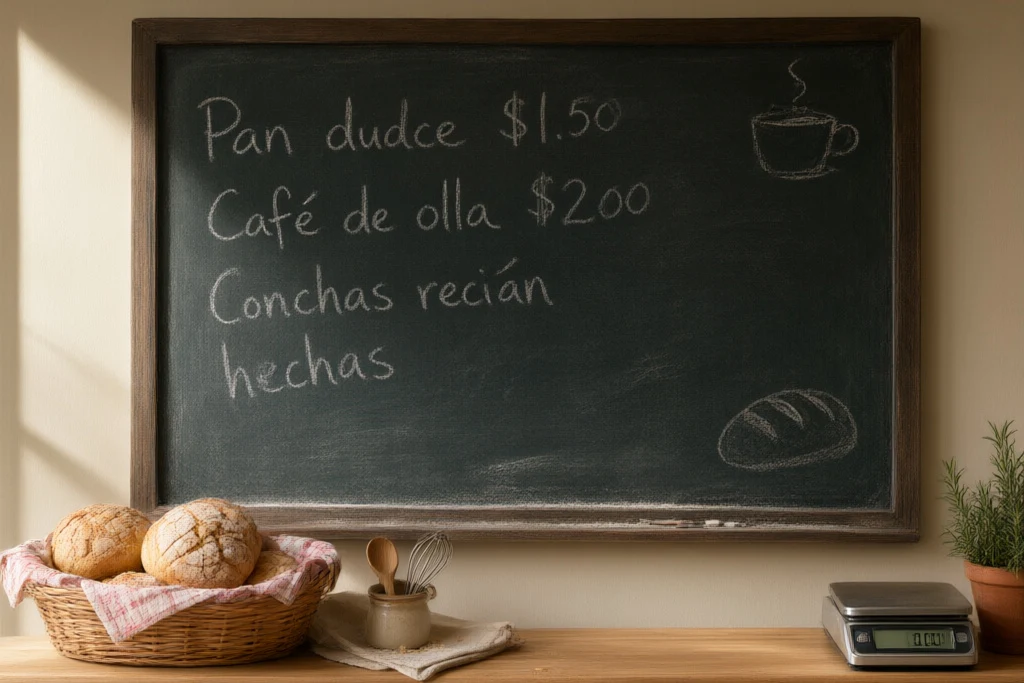
Text is not guaranteed to be correct. In the examples below, the travel poster rendered its requested wording correctly, while the bakery menu contains misspellings and a price error. Inspect the result closely before using it.
How to use Qwen Image 3.0 on Geneso.
Open the image generator. The buttons on this page preselect Qwen Image 3.0.
- 01
Describe the image
Name the subject and setting, then describe the light, layout and style. Put any required lettering in quotation marks and specify its position.
- 02
Choose the format
Select the size and aspect ratio for the intended use. You can add up to three reference images on Geneso to guide the result.
- 03
Check credits and review
Review the estimate before generating. Inspect the image, including small text and the arrangement of objects. Change one instruction at a time if you try again.
Prompt tips and examples.
The travel poster asks for a lighthouse, a limited palette and two lines of text. Its requested text appeared correctly in this take. The bakery menu asks for three lines on a chalkboard, but the result misspells two words, omits a decimal point in a price and wraps the last phrase onto two lines.
The mug example concentrates on material, light and placement rather than lettering. Open the prompts to compare the detail in each brief, then adapt the structure to your own subject.
- Take
- 02
- Size
- 1024 × 683
- Aspect
- 3:2
- credits
- 50
A bakery chalkboard menu
The board renders “Pan dulce” as “Pan dudce”, “recién” as “recián” and “$2.00” as “$200”.
Generated
Original prompt
A chalkboard menu on the wall of a small bakery, photographed straight on in soft morning light. Hand-lettered in white chalk with three lines: "Pan dulce $1.50", "Café de olla $2.00", "Conchas recién hechas". Small chalk drawings of a cup and a loaf in the corners. Wooden frame, a basket of bread on the counter below.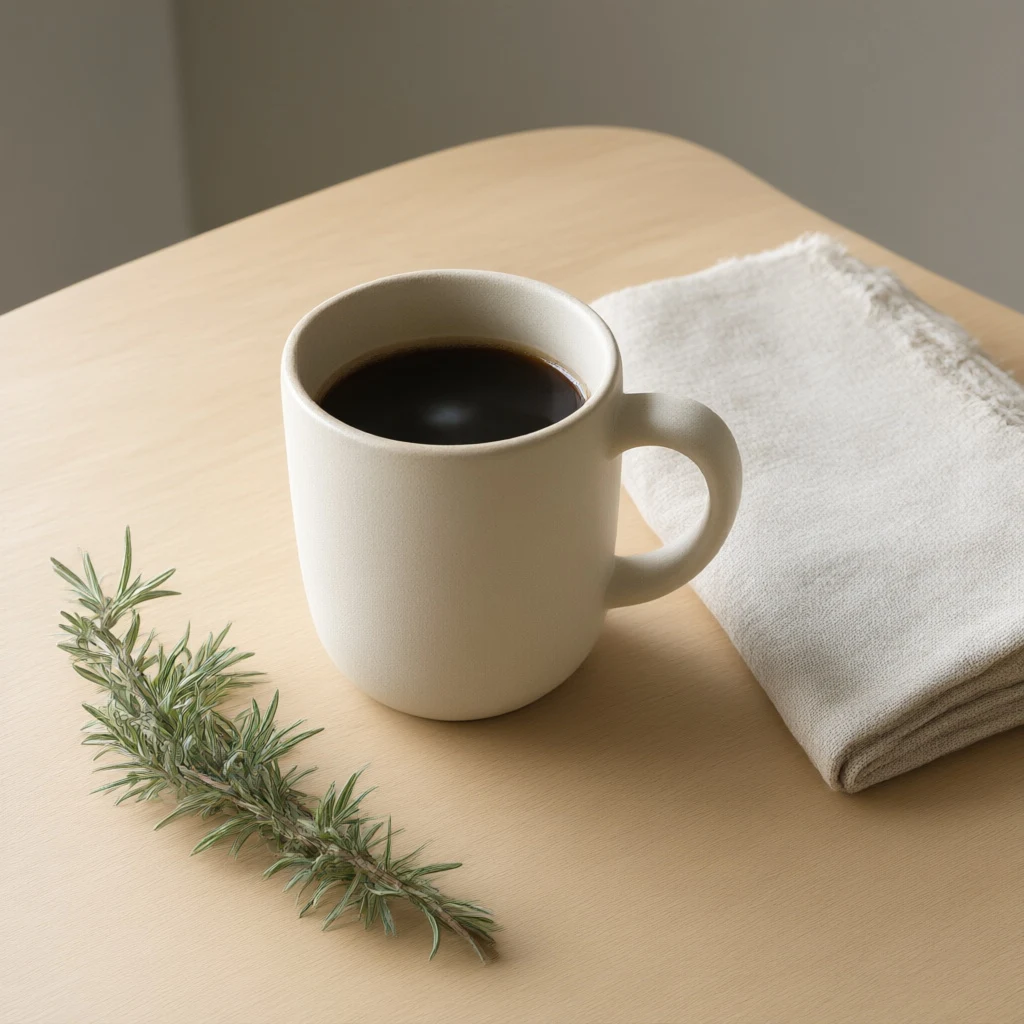
- Take
- 03
- Size
- 1024 × 1024
- Aspect
- 1:1
- credits
- 50
A ceramic mug in soft light
Generated
Original prompt
Product photo of a matte ceramic coffee mug on a pale oak table beside a folded linen napkin and a sprig of rosemary, soft window light from the left, gentle shadows, shallow depth of field, minimal Scandinavian styling, realistic textures.Compare image models.
The table compares the largest size, aspect ratio count, default credits per image and plan access from the current catalog. These are settings, not a ranking of image quality.
See also Nano Banana 2.1 and FLUX 3. Keep the same brief where possible and compare the actual results.
Credits and pricing on Geneso.
An image at the default settings costs 50 credits. Qwen Image 3.0 is available on the Free plan. The generator shows the estimate before you generate.
The Free plan includes 300 welcome credits and 50 daily credits. Starter costs $3.99 per month. See pricing for current plans and details.
The Geneso catalog includes 69 image models.
Use Geneso in AI apps.
Claude
ChatGPT
Other MCP apps
Frequently asked questions.
Who made Qwen Image 3.0?
Alibaba’s Qwen team made Qwen Image 3.0. Geneso provides access through Runware.
Where can I use Qwen Image 3.0 online?
Open the Geneso generator, enter a prompt and choose the image settings.
How much does it cost on Geneso?
The model is available on the Free plan. An image at default settings costs 50 credits. Check the estimate before generating.
Can it render text?
The maker highlights multilingual text. Results can still contain errors: the bakery menu example below misspells two words and omits a decimal point in a price. Review lettering before use.
Can I use reference images?
Yes. On Geneso, Qwen Image 3.0 supports up to three reference images.
Sources.
- Qwen: Qwen-Image-3.0 announcement
Accessed
- Runware: Qwen-Image-3.0
Accessed