What Seedream 5.0 Pro is good at.
Seedream 5.0 Pro comes from the ByteDance Seed team, which launched it on July 8, 2026. ByteDance reports improvements across the basics: how closely the image follows the prompt, structural coherence, text rendering and overall look. It describes the model as one that plans the layout before it draws, and Runware calls it ByteDance’s flagship image model.
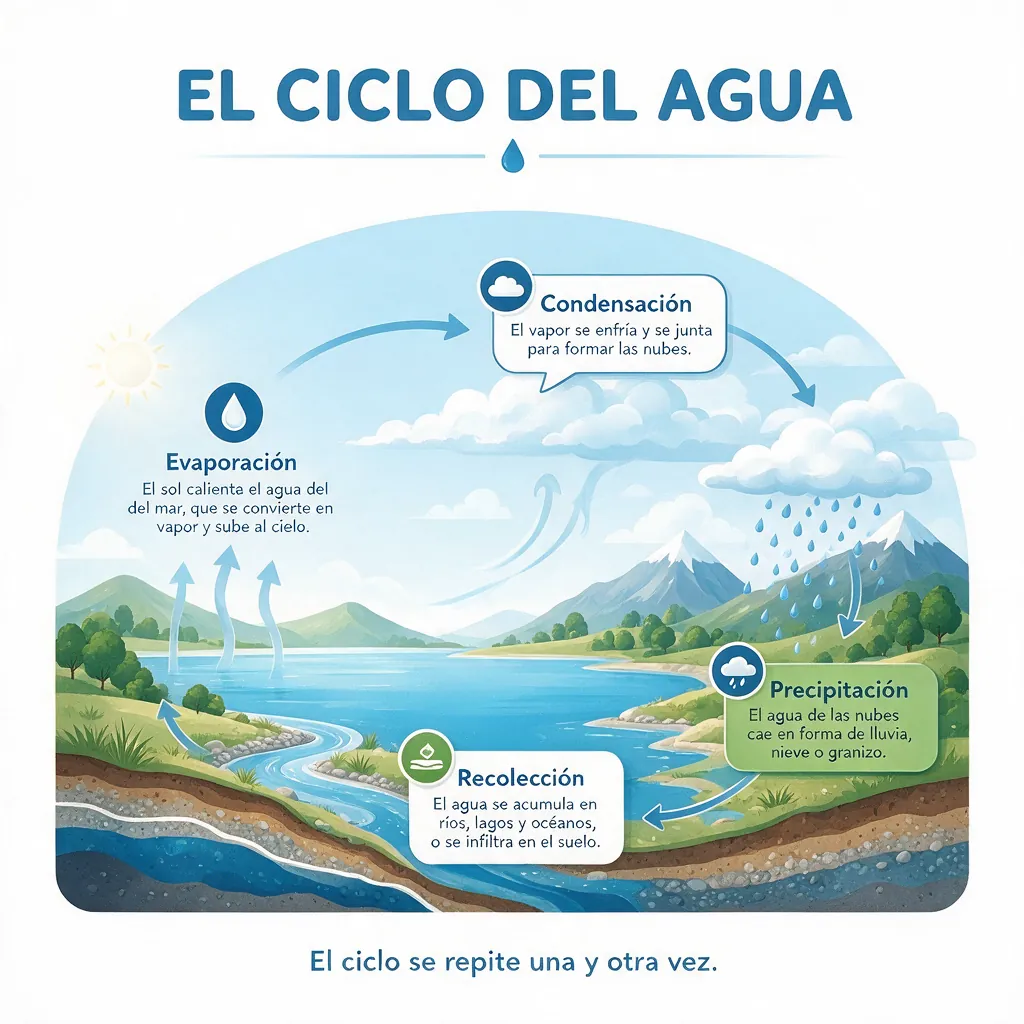
Information design is the headline. ByteDance says Seedream 5.0 Pro turns data, concepts and dense text into professional layouts: infographics, diagrams, storyboards, interface prototypes and pages for education or work. Spell out the title, the sections and every label, and the model arranges them. ByteDance also notes that very fine text still has room to improve, so check small type.
Language is the second strength. Beyond Chinese and English, ByteDance lists native input and rendering in more than ten common languages, including Spanish, French, German, Japanese, Korean and Arabic. In the water cycle take below, every Spanish label came back spelled correctly, accents included.
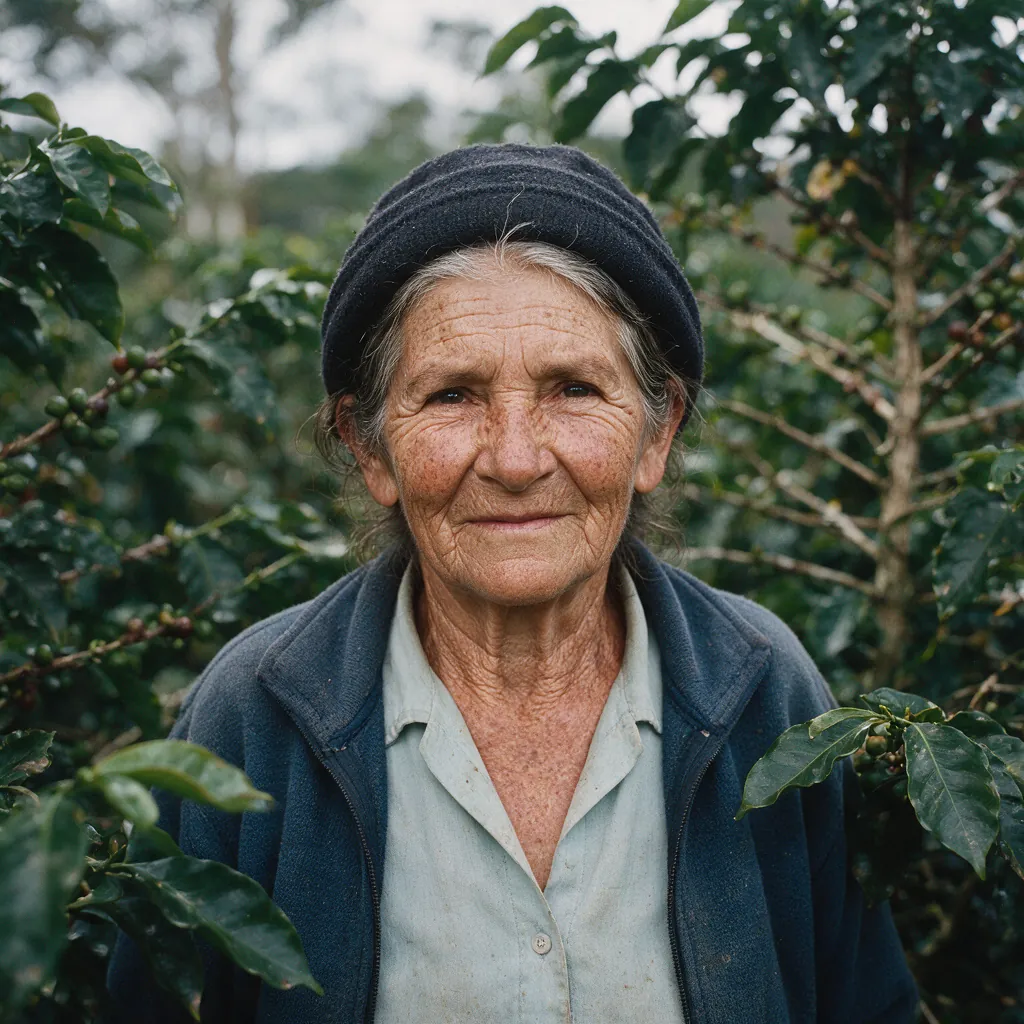
It also renders people and materials with care. ByteDance highlights realistic light, materials and skin texture, from wrinkles to matte light on a face. On Geneso you can add up to 10 reference images to combine people, products or places into one scene. ByteDance’s point editing and layer separation tools are not part of the Geneso generator.
How to use Seedream 5.0 Pro on Geneso.
Open the image generator. The buttons on this page preselect Seedream 5.0 Pro, and you only need a Geneso account: no ByteDance account or API key. You can write prompts in Spanish too; Geneso works in English and Spanish.
- 01
Plan the layout in the prompt
For an infographic or a screen, write it like a brief: the title, the sections in order, each label in quotes and the language you want. For a photo, describe the subject, the light and the texture you expect to see.
- 02
Choose the format and references
Pick one of nine aspect ratios, from square to 21:9 and the tall 9:21, at the standard size or at 2K. Add reference images when the scene must include a specific person, product or place.
- 03
Check credits, generate and review
The generator shows the credit estimate for your settings. Read every label in the result and compare it with your brief. To fix a mistake, repeat the prompt with the label written more clearly rather than adding new content.
Prompt tips and examples.
All four takes were made on Geneso at the default size, 1024 x 1024, each on the first try. The water cycle asks for an English-written prompt with Spanish labels and explanations; the model also added a closing line of its own. The portrait tests skin texture in soft light. The plant care app tests a dense screen: a greeting, three cards and a navigation bar. The storyboard tests a sequence: four numbered panels that tell one climb.
Each prompt lists its text in the order it should appear. That is the main habit to copy: name every element, quote every word and state the language, so the model plans the page instead of guessing.
- Take
- 02
- Size
- 1024 × 1024
- Aspect
- 1:1
- credits
- 81
Skin texture in soft light
Generated
Original prompt
Close-up portrait of a woman in her seventies who works on a coffee farm, standing among the shrubs in soft overcast light. Deep wrinkles, freckles and sun-worn skin rendered with real texture, a few grey strands of hair across her forehead, calm direct gaze, matte light falling softly across her face. 85 mm lens look, natural colors, shallow depth of field. No text.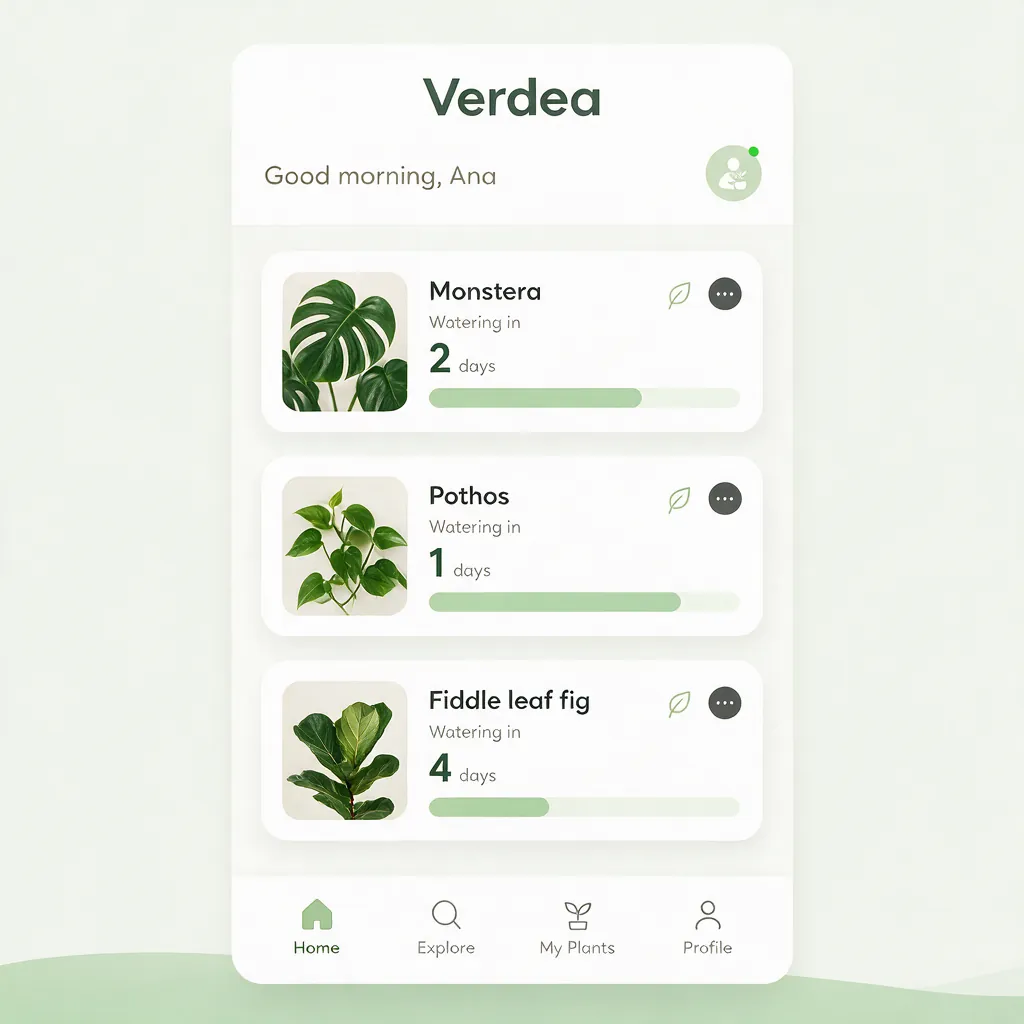
- Take
- 03
- Size
- 1024 × 1024
- Aspect
- 1:1
- credits
- 81
A dense app screen
Generated
Original prompt
A clean mobile app home screen design for a plant care app called "Verdea", shown flat and front-on. A top bar with the app name, a greeting "Good morning, Ana", three plant cards in a list (Monstera, Pothos, Fiddle leaf fig) each with a small photo, a watering countdown and a progress bar, and a bottom navigation bar with four icons. Soft sage green and white palette, rounded cards, crisp sans-serif typography, all text legible.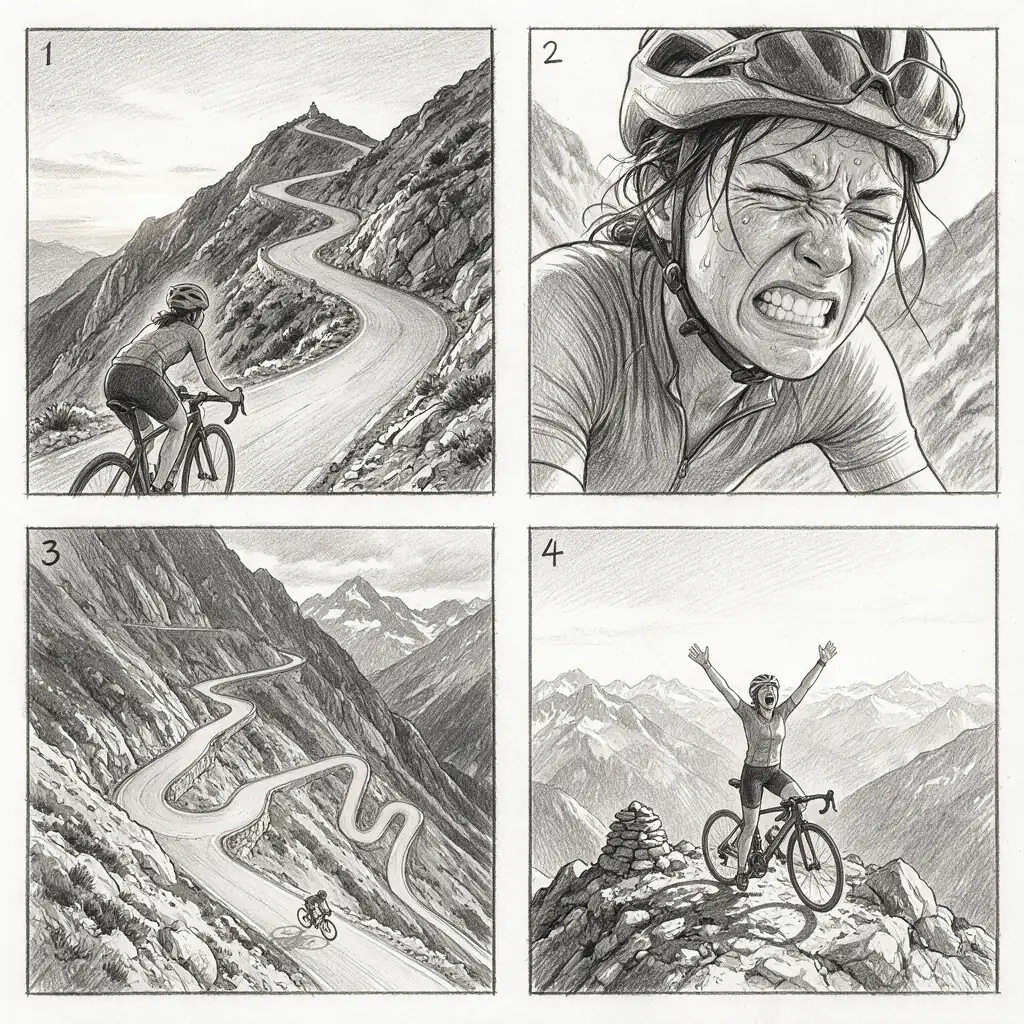
- Take
- 04
- Size
- 1024 × 1024
- Aspect
- 1:1
- credits
- 81
A four-panel storyboard
Generated
Original prompt
A 2 by 2 storyboard of four panels, each with a thin black border and a small number from 1 to 4 in the top-left corner. Graphite pencil sketch style, grayscale. Panel 1: a cyclist at the bottom of a steep mountain road at dawn. Panel 2: close-up of the cyclist's face, straining. Panel 3: wide shot of the switchbacks from above. Panel 4: the cyclist at the summit with arms raised. Clean white margins between panels.Seedream 5.0 Pro vs FLUX 3 and GPT Image 2.5.
The table compares Seedream 5.0 Pro with Seedream 5.0 Lite and two other image models on Geneso, using the current catalog. Credits are for one image at each model’s default settings, so compare the sizes too. Geneso also offers Seedream 5.0 Flash and Seedream 4.5.
Test each model with the same prompt and size. For a closer look, read the pages on FLUX 3, GPT Image 2.5 and Nano Banana 2.1, which also handles text and infographics. Geneso vs Krea answers a different question: which platform to work in.
Credits and pricing on Geneso.
One square image at the default size costs 81 credits. A square 2K image costs 162. The first reference image is included; each extra one adds credits. The generator shows the estimate for your settings before you generate.
Seedream 5.0 Pro is available on the Free plan. The Free plan includes 300 welcome credits and 50 daily credits.
Starter is $3.99 per month with 4,500 monthly credits; Pro is $7.99 with 10,000; Max is $14.99 with 20,000. See pricing for the current plans. Credits do not expire, and paid plans add their monthly allowance to your balance.
Geneso currently offers 108 available models, including 63 image models and 45 video models. Explore the home page for the full catalog, or use the image tools to remove a background or upscale a result.
Frequently asked questions.
Who made Seedream 5.0 Pro?
The ByteDance Seed team made it and launched it on July 8, 2026. Seedream 5.0 Lite and 5.0 Flash belong to the same family. Geneso provides access through Runware; it is not the maker of the model.
Where can I use Seedream 5.0 Pro online?
You can use it in the Geneso generator in your browser. Sign in to Geneso, keep the model selected and enter your prompt. You do not need a ByteDance account or an API key. The interface is in English and Spanish.
Is Seedream 5.0 Pro free to try on Geneso?
Seedream 5.0 Pro is available on the Free plan. One square image at the default size costs 81 credits. The Free plan includes 300 welcome credits and 50 daily credits.
What is it good at compared with FLUX 3 and GPT Image 2.5?
Consider Seedream 5.0 Pro for infographics, interface mockups and other text-heavy layouts, text in Spanish and other languages, and realistic portraits. Those are the strengths ByteDance highlights. Use the table to compare the largest size, aspect ratios, credits and plan access, then run the same prompt on each model.
What resolutions and aspect ratios does it support?
On Geneso, Seedream 5.0 Pro offers nine aspect ratios, 1:1, 4:3, 3:4, 16:9, 9:16, 3:2, 2:3, 21:9 and 9:21, at a standard size or at 2K. A square image is 1024 x 1024 by default and 2048 x 2048 at 2K. You can add up to 10 reference images.
Can I use the images commercially?
Paid Geneso plans include a commercial license; the Free plan does not. Geneso’s terms say your content belongs to you, subject to the license terms of each model. Review the plan details and the model terms before using an image in paid work.
Sources.
- ByteDance Seed: Introducing Seedream 5.0 Pro
Accessed
- ByteDance Seed: Seedream 5.0 Pro
Accessed
- Runware: Seedream 5.0 Pro
Accessed