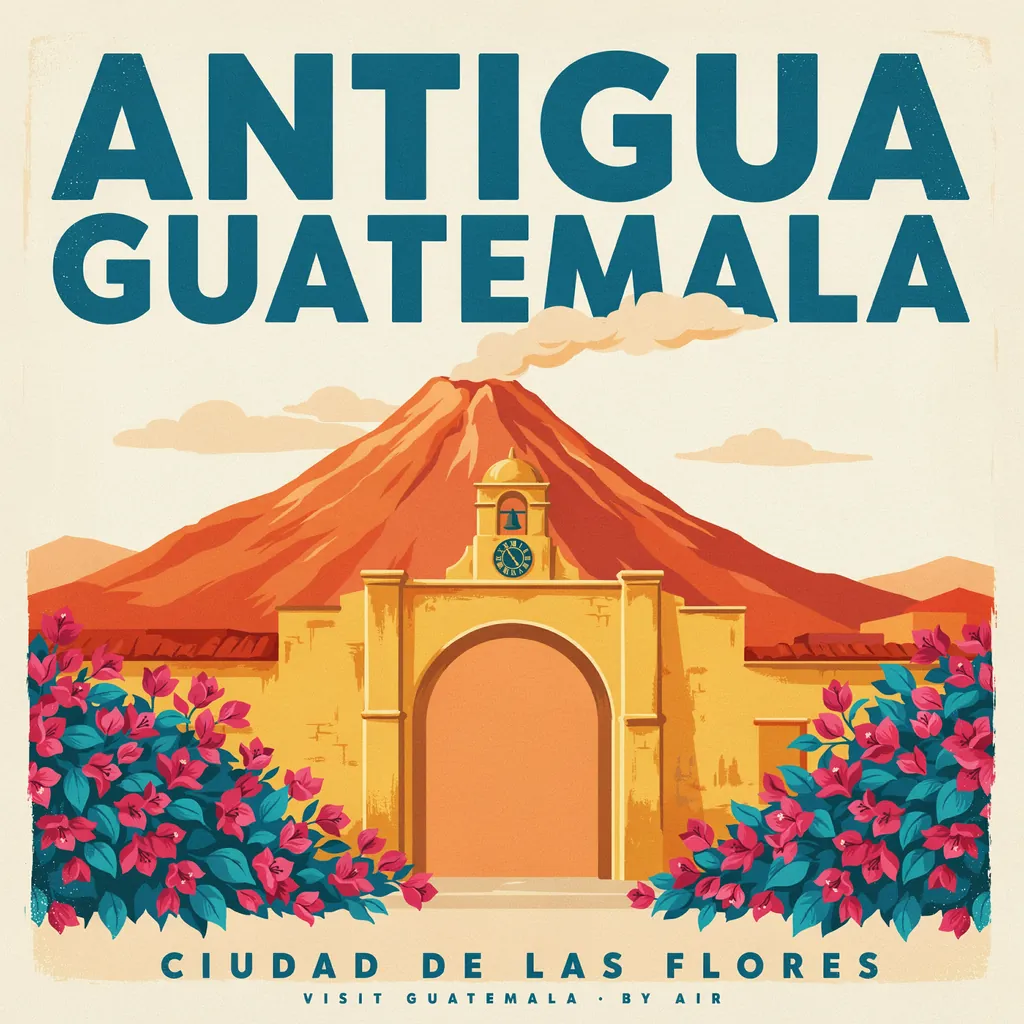
What Ideogram 4.0 is good at.
Ideogram released Ideogram 4.0 as an open-weight image model. Its maker highlights text across languages for headlines, packaging and signs, as well as photoreal output at 2K. On Geneso it takes a text prompt, so describe the image and the words you want in plain language. This page focuses on the options available in that generator.
Text is part of the visual brief, not a separate proofreading step. Say which words should appear, where they belong and how prominent they should be. A headline at the top of a poster needs different instructions from a small line on a product label. Review both the spelling and the layout at the size where the image will be used.
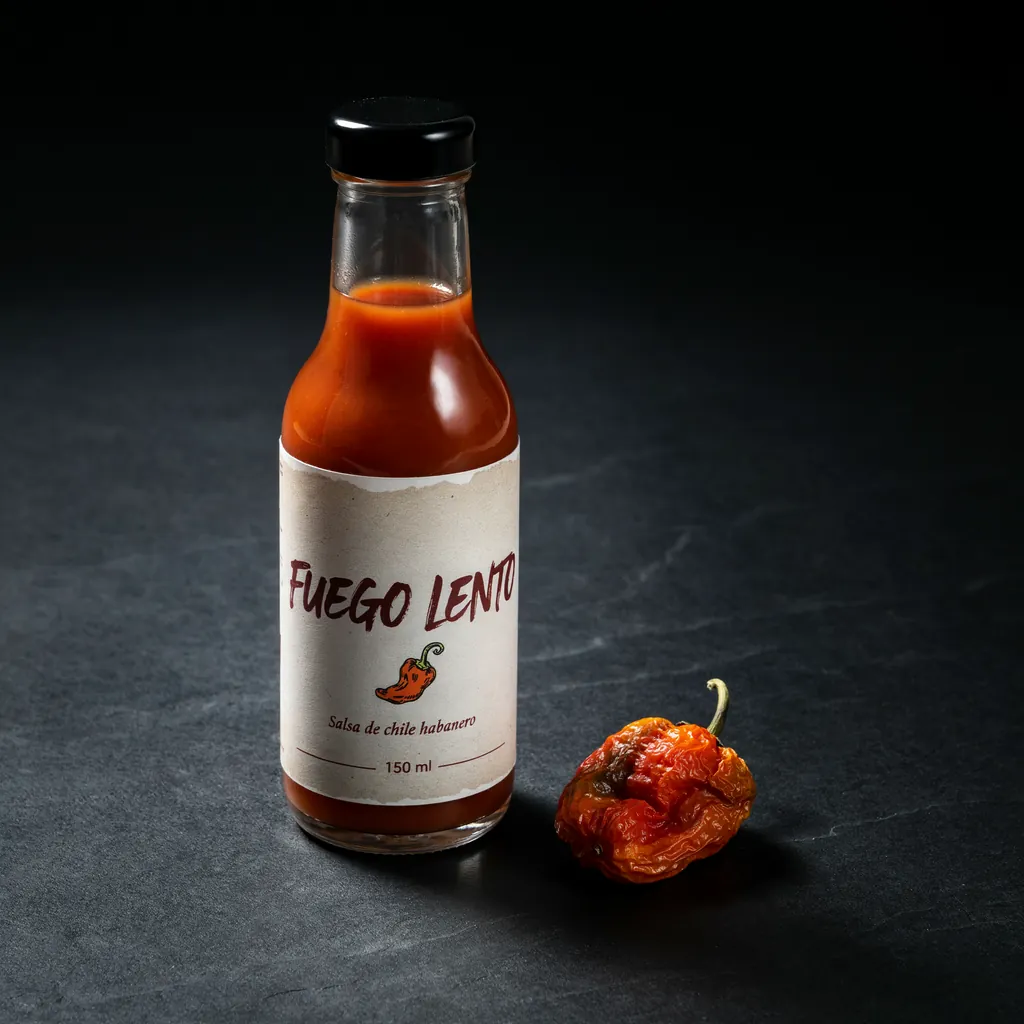
The maker describes strong text rendering, but an individual result can still add or change words. The travel poster in the hero includes the requested lines and an extra line that was not requested. The sauce label has a clear headline, while its smaller lines are very small. These examples make the need for review visible rather than hiding it.
Ideogram also highlights photoreal output. You can ask for a product photograph, an illustrated poster or a menu, then specify materials, lighting and the relationship between text and objects. Geneso offers several aspect ratios; the live strip shows the current largest size. Choose the shape of the image for its destination before refining decorative details.
How to use Ideogram 4.0 on Geneso.
Open the image generator. The buttons here preselect Ideogram 4.0. Write in English or Spanish; you do not need a separate Ideogram account to use it on Geneso.
- 01
Write the subject and text
Describe what the image depicts, then quote the exact words you want. Separate the headline from supporting text and state where each should go. Add a style, palette in ordinary language or lighting description only where it helps explain the result.
- 02
Choose the image format
Select a square, landscape, portrait or wide composition for the intended use. Ideogram 4.0 on Geneso uses a text prompt rather than reference images. Choose the quality available to your account, and keep the prompt within the generator’s limit.
- 03
Check credits and proofread
Review the credit estimate before generating. Afterwards, look for missing, changed or extra words and inspect small details. If a line is hard to read, revise its prominence or shorten the surrounding brief and try again. Keep the original prompt for comparison.
Prompt tips and examples.
The Antigua travel poster asks for two lines and a screen-print treatment. Both requested lines appeared, but the model added a small extra line. The hot sauce prompt places a headline, supporting label and volume around an illustrated chili. Its headline is clear, but the smaller text is very small.
The chalkboard prompt lists a title, three menu items and small drawings. The lines appeared, but the banana bread drawing resembles a die. The cycling poster asks for a headline, two smaller lines and a coastal scene. These are individual takes, not a guarantee that another run will reproduce the same spelling or composition.
Open the original prompts and notice how the wording separates the content from the visual treatment. When adapting one, quote each required line and specify its relative size or location. After generating, proofread everything that appears, including text you did not request, before using the image in a design.
- Take
- 02
- Size
- 2048 × 2048
- Aspect
- 1:1
- credits
- 50
A hot sauce label
The headline is clear, but the smaller label lines are very small.
Generated
Original prompt
Studio product photo of a craft hot sauce bottle with a cream paper label. The label reads "FUEGO LENTO" in a bold hand-drawn display font, with "Salsa de chile habanero" below it and "150 ml" in small type at the bottom. An illustrated orange chili sits between the lines. Dark slate background, one dried habanero beside the bottle.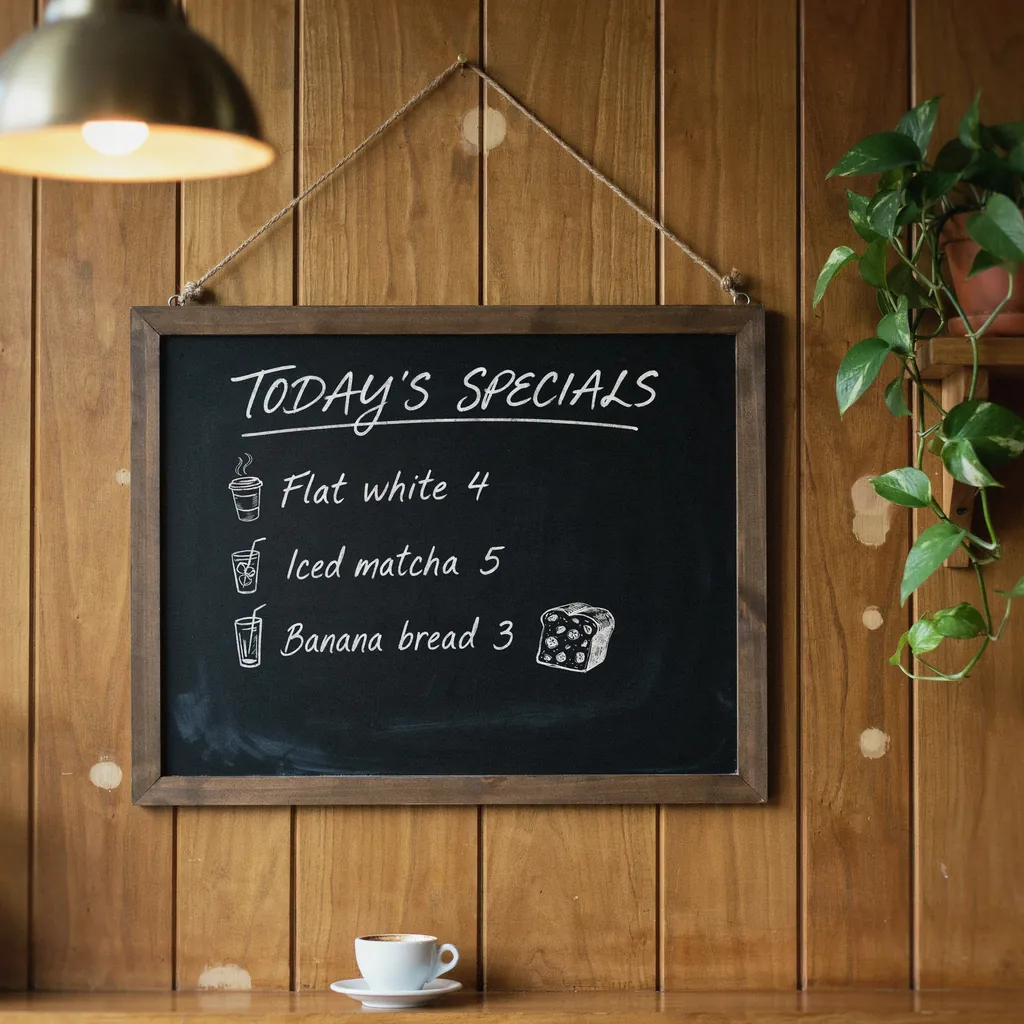
- Take
- 03
- Size
- 2048 × 2048
- Aspect
- 1:1
- credits
- 50
A chalkboard menu
The banana bread drawing looks like a die.
Generated
Original prompt
Hand-lettered chalkboard menu hanging in a cozy cafe. The title reads "TODAY'S SPECIALS". Below it, three lines read "Flat white 4", "Iced matcha 5" and "Banana bread 3", with small chalk drawings of a cup, a glass and a slice of bread. Warm cafe light, a plant in the corner.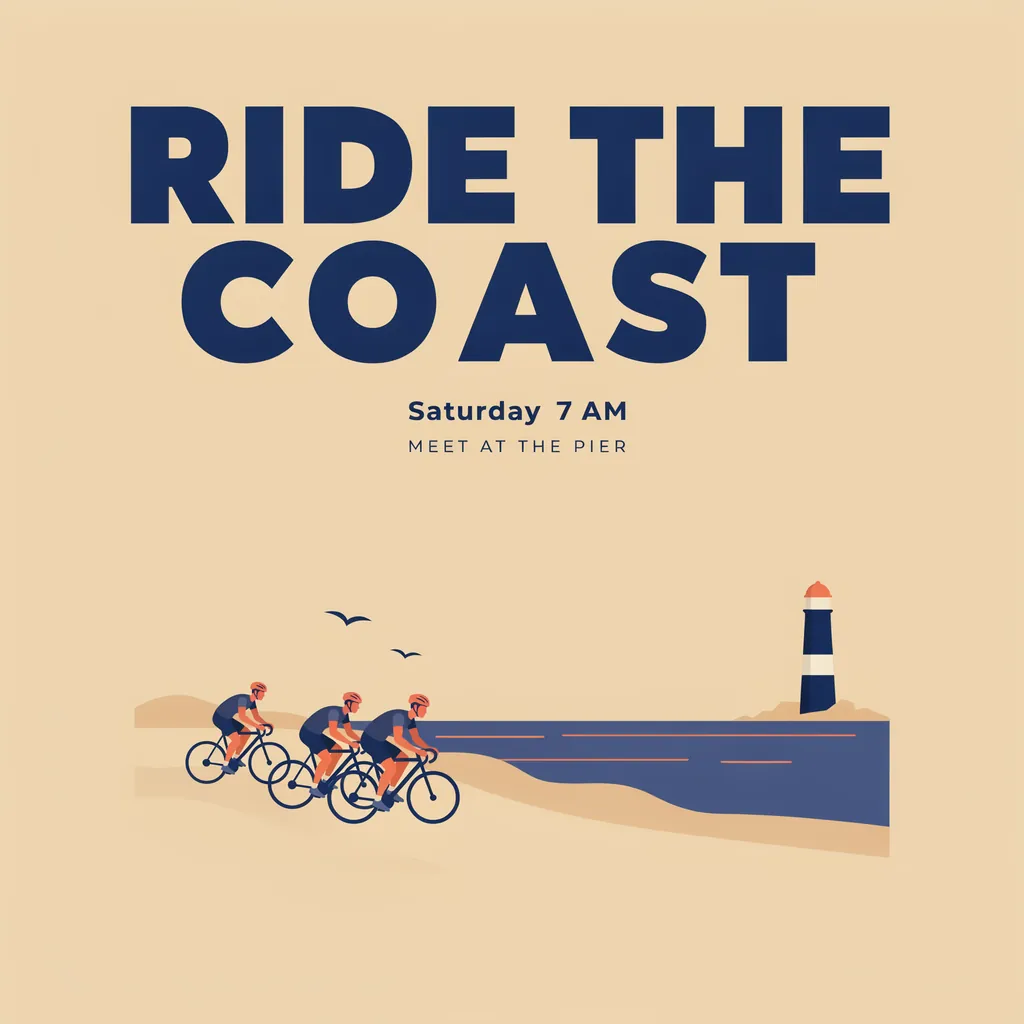
- Take
- 04
- Size
- 2048 × 2048
- Aspect
- 1:1
- credits
- 50
A coastal ride
Generated
Original prompt
Square social media post for a weekend bike ride. Bold geometric headline "RIDE THE COAST" across the top, with "Saturday 7 AM" and "Meet at the pier" in smaller type below. A flat illustration of three cyclists on a coastal road with the sea and a lighthouse. Navy, sand and coral palette, clean layout with generous margins.Ideogram 4.0 vs Recraft V4.1 Pro and FLUX 3.
The live table compares the largest size, number of aspect ratios, default credits per image and plan access. Each credit figure uses that model’s own default request. These catalog fields help you choose a format and budget; they do not measure lettering accuracy or rank the models.
For another image workflow, explore FLUX 3 or GPT Image 2.5. The Geneso vs Krea comparison looks at platforms instead. Use the same text and layout brief when testing models, record the settings and review every line in each result.
Credits and pricing on Geneso.
An image at default settings costs 50 credits. Ideogram 4.0 is available on the Free plan. Check the generator’s estimate before you generate, especially after changing quality or format.
The Free plan includes 300 welcome credits and 50 daily credits. Free accounts use the smallest size and Low quality. A paid plan or any credit purchase unlocks larger sizes and higher quality where the model offers them. Compare your balance with the estimate.
Starter costs $3.99 per month. See pricing for current plans. The Geneso catalog contains 63 image models to explore alongside Ideogram 4.0.
Frequently asked questions.
What is Ideogram 4.0 and who made it?
Ideogram made Ideogram 4.0, an open-weight image model whose maker highlights text rendering across languages and photoreal output. On Geneso, you can use it with a plain-language text prompt.
Where can I use Ideogram 4.0 online?
Open the Geneso generator with Ideogram 4.0 selected from this page. Enter a prompt, choose the format and check the estimate. Geneso provides access through Runware, so you do not need a separate Ideogram account.
Is Ideogram AI free to try on Geneso?
Ideogram 4.0 is available on the Free plan. The Free plan includes 300 welcome credits and 50 daily credits. A default image costs 50 credits. Check your balance before generating.
What is it good at compared with its peers?
Ideogram highlights text in images, including headlines, packaging and signage. Use the table to compare size, aspect ratio count, default credits and access with Recraft V4.1 Pro and FLUX 3. Then try your own brief and proofread the resulting text.
What sizes does Ideogram 4.0 support on Geneso?
Geneso offers square, landscape, portrait and wide formats. The live strip shows the current largest size and aspect ratio count; the generator lists the available sizes. Free accounts use the smallest size and Low quality; a paid plan or any credit purchase unlocks higher quality and larger sizes where available.
Sources.
- Ideogram: Ideogram 4.0 press release
Accessed
- Runware: Ideogram 4.0
Accessed